Hide Text
Share sensitive information without being crawled
How Hide Text works
- 1,XOR operation encrypts the plaintext string into a random string, then assembles it into a clickable URL
- 2,Clicking the URL applies XOR again to restore the plaintext string
- 3,base64 is used to shorten the random string
- 4,Meta parameters instruct search engines not to index the random-string page.

How to Use
Paste your sensitive text and get a random-string URL that search engines are instructed not to index.
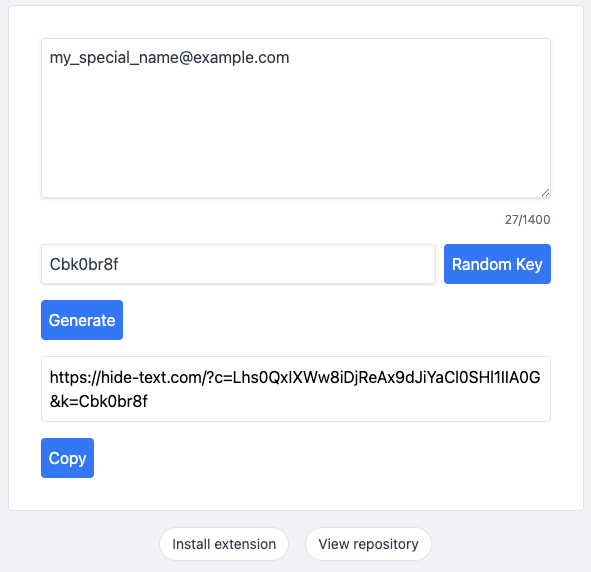
Enter sensitive text and click generate to produce a random-string URL.
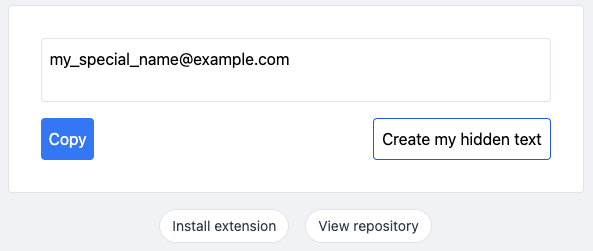
Click the random-string link to reveal the original sensitive text in the decryption UI.
Install
Besides using hide-text.com, install the Hide Text browser extension to generate and reveal hidden text directly in your browser.
Privacy & Security
1.Client-Side Only: This is a purely static webpage. The encryption and decryption happen entirely within your browser memory. Your plaintext is never transmitted to, or stored on, any server.
2.Zero Data Footprint: There is no backend database, no sessions, and no cookies. We do not use any third-party tracking or analytics scripts (like Google Analytics).
3.Link-Based Security: All encrypted data and the decryption key are contained within the generated URL. Privacy is maintained as long as you keep the link secure.
4.Anti-Indexing: The application uses noindex and canonical tags to instruct search engines not to index or display the ciphertext URLs in search results.
5.Open Source: Our code is fully transparent and available for public audit, ensuring no “backdoors” or hidden data leaks.